For transformation leads, consultants and PMOs
Find what's in the way of the change, and help it move.
Rune applies your maturity model to the teams and processes in scope, turns weak scores into blockers to remove, each with an owner and a date, and shows sponsors the trend round by round, on their own intranet.
The problem
The scores live in one place, the blockers in another, and the trend nowhere.
Workshops and slides
Interviews surface the blockers, then they're written up in a deck that is out of date within weeks.
Spreadsheets per client
Teams scored against a model in a workbook that gets copied for every client and every round.
A separate RAID log
The issues are tracked, but nothing links them back to the low scores that raised them.
No trend line
Showing a sponsor that a process moved from level 2 to level 3 means rebuilding last quarter's spreadsheet.
How it works
One loop for every team and process in scope
Assess it, turn weak scores into blockers, work the blockers, and re-assess to show the change. The score and the blocker it raised live in one place, so progress on one shows in the other.
-
1
Assess
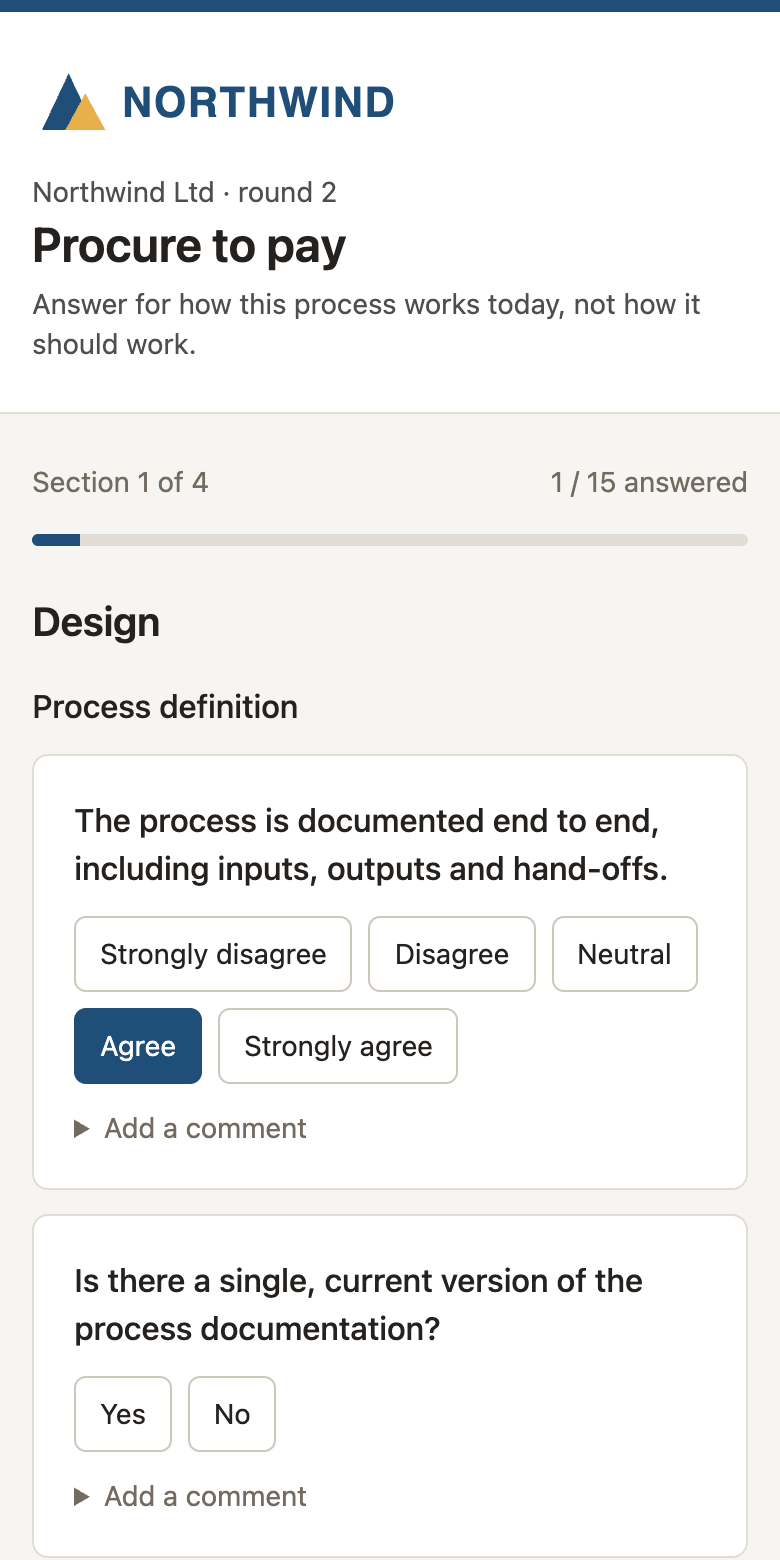
Send each team or process a private link. People answer on any device, without an account, and can save and come back.
-
2
See where it's blocked
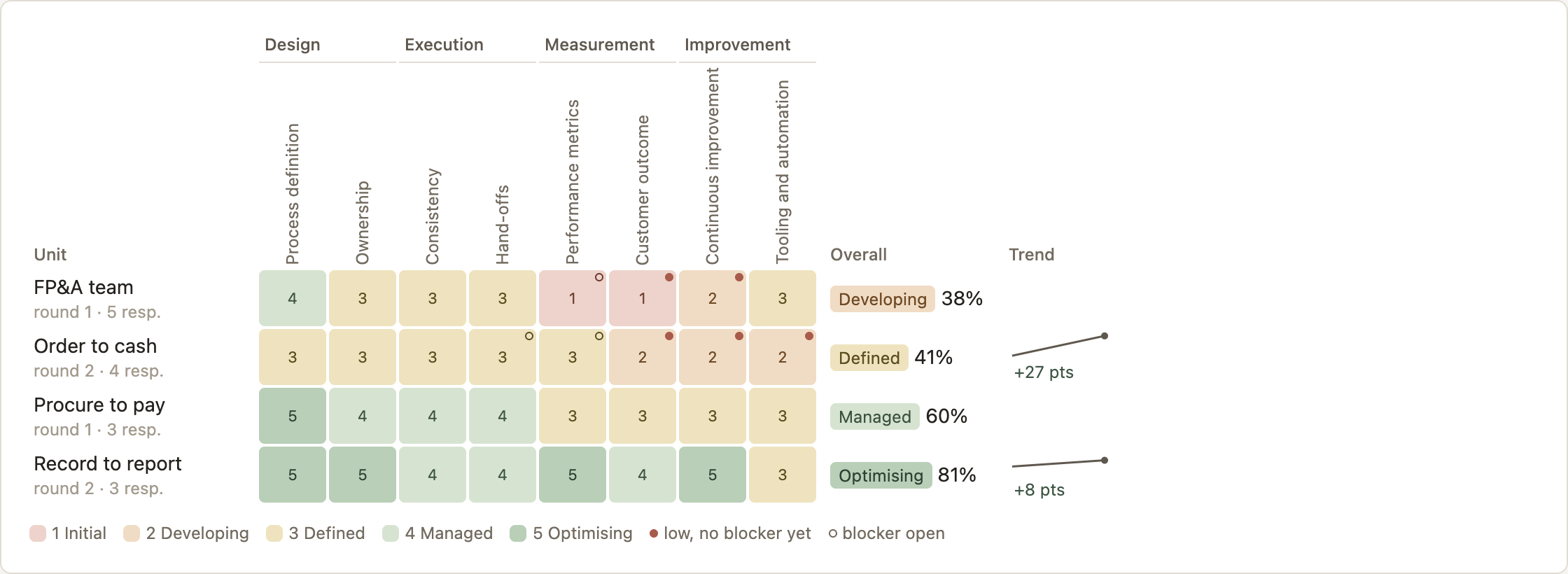
Answers roll up into a level per capability, with the spread between respondents. Low scores without a blocker are flagged.
-
3
Work the blockers
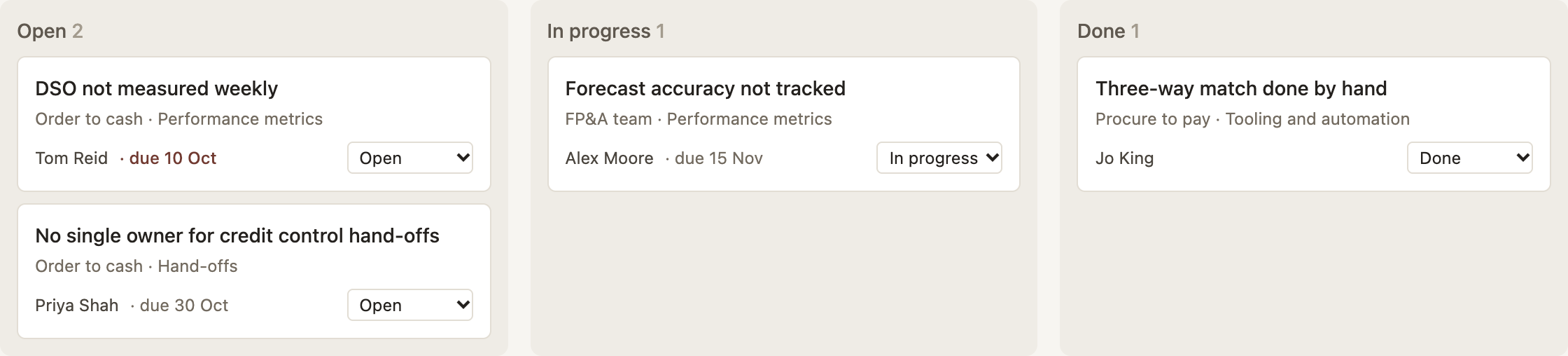
Raise a blocker from any cell with an owner and a due date, and track it on a board through to done.
-
4
Re-assess
Run the next round and compare with the baseline. The trend is there for sponsors without anyone building a deck.
Honest numbers, round by round
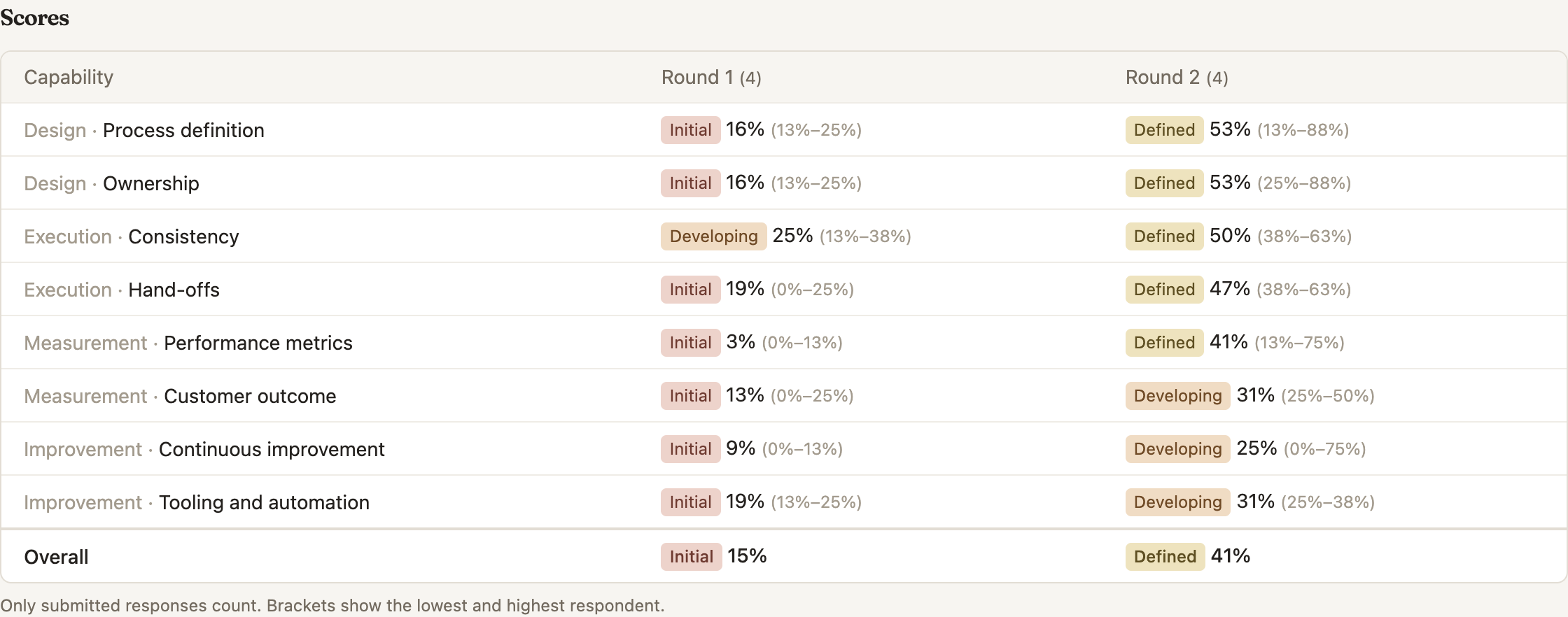
Every capability shows its level, its score and the spread between the lowest and highest respondent, so you can tell a team that agrees from one that is split. Only submitted responses count, and each round keeps the framework version it was asked against.
From a low score to a named blocker
Click a weak cell on the heatmap to raise a blocker against that team and capability. Give it an owner and a due date, move it from open to done, and export the lot to CSV for your RAID log.
How Rune is meant to be used
Built to help teams, not to rank them
An assessment only works if people answer honestly, and they only answer honestly if they trust the results won't be used against them. So Rune is designed around finding where to help, not who to blame.
Blockers name what's in the way, not who
A blocker is raised against a capability, such as hand-offs or measurement, and describes the obstacle to remove: a missing tool, an unclear owner, a policy that gets in the way.
No league tables
Teams and processes are listed by name, never ranked by score. The heatmap is for spotting patterns, not for comparing one team with another.
The team's view, not individuals'
Rune shows each team's combined score and how far people agreed. It never shows who gave which answer.
Patterns point to programme fixes
When the same capability is weak across many teams, the cause is usually shared: tooling, policy or skills. That's a fix for the programme, not a list of struggling teams.
Why this matters: Maturity scales and capability models: what Accelerate gets right
What's included
Built around your model, not ours
Bring your own maturity model
Domains, capabilities and questions with your own levels and thresholds. Agree/disagree scales, yes/no, single choice and numbers, each weighted as you choose. Or start from a process maturity or DORA template.
Versions that protect your history
Editing a framework starts a new version. Engagements keep the version they began with, so past results never shift under you.
Respondents without accounts
Each person gets a private link that works on a phone, saves as they go, and closes when you close the round. Limits count units, never respondents.
Embeds for sponsors
Drop the progress heatmap, the blocker board or the questionnaire into a website, client portal or intranet page with a snippet you can revoke at any time.
Your client's brand
Give each engagement the client's name, logo and colours, on the questionnaire, the embeds and the report. On Team and above, white label removes every mention of Rune.
Reports and exports
A print-ready PDF summary per engagement, and CSV exports of every score and blocker for your own analysis.
Client branding
It looks like their programme, not your tool
People answer more openly when the questionnaire comes from their own organisation. Set the client's logo, colour and heatmap scheme per engagement, and their staff see their brand from the first question to the final report.
- Logo, colour and name on the questionnaire, embeds and PDF report
- Heatmap schemes: muted, red/amber/green, colour-blind-safe blues, or the client's own colour
- Installs to a phone home screen as the client's own app
- White label on Team and Transformation office
Who it's for
Independent consultants
Run your own method with your own model, look professional in front of every client, and stop rebuilding spreadsheets between engagements.
Transformation consultancies
One shared workspace for the team, consistent models across clients, and each client's branding on what they see.
Internal transformation offices
Track every team and process in the programme in one place, and give the steering group a live view on the intranet instead of a monthly deck.
Pricing
Priced by engagements and units, never by respondents
Articles
Maturity scales in transformation work
Maturity scales and capability models: what Accelerate gets right
Accelerate argues for capabilities over maturity. Martin Fowler defends maturity models used well. What the critique and the defence agree on, and how to use a maturity scale to drive change without the lock-step trap.
5 min read GuideHow to use a maturity scale in a transformation programme
A maturity scale is a diagnostic for deciding where to put effort, not a grade. How to choose your units, set a baseline, read the results and re-assess without fooling yourself.
6 min read PracticeFrom maturity scores to blockers: turning an assessment into action
Assessments stall when low scores have no owner. How to give every weak score a decision, write blockers that get worked, read the heatmap for priorities, and close the loop at the next round.
5 min readRun your next assessment in Rune
14 days free with every feature. Start from a template and have a heatmap the same afternoon.